
About Finalsite
Better tools. Stronger schools.
Finalsite is a software-as-a-service company that provides communications and content management solutions to educational institutions, particularly focused on K12 schools. In addition to their flagship content management system, Composer, Finalsite offers modules to help schools manage: calendars, forms, contacts, athletics, bulk email and text messaging, files, social media feeds, news and blogging, mobile apps, and more. While sites are designed and built internally with customized templates, and some content migration services may be included, clients are expected to use Finalsite’s tools independently after site launch.
Over the course of 7 years, and a period of explosive growth for the company, I worked to build scalable onboarding and product training opportunities for clients as well as Finalsite employees. From knowledge base articles and blog posts to recorded webinars and interactive video-based courses, I designed empowering learning experiences that helped multiple types of users make the most of their Finalsite tools.
Know your audience
Finalsite’s broad user base presented unique challenges for creating educational content to address their needs. A Finalsite user may be anyone from a teacher with no technical background building a form during her free period to a district IT administrator implementing sites for dozens of elementary, middle, and high schools. Finalsite’s granular user permissions allowed even parents and students to access Composer or any of its modules. Users’ needs varied widely depending on where they were in their journey, whether launching a new site, updating an existing one, or (often) taking over a site from a previous admin who didn’t leave adequate handover instructions. As a SaaS, Finalsite also released new features regularly (on a two-week agile cycle) that required additional training for even the most seasoned admins.
To ensure we were catering to our clients’ needs, whatever their background, I created three levels of user personas: User, Admin, and Superadmin. A User was someone who was creating content or using a module for its intended purpose, such as publishing a news article, sending a message, or building a form. They would almost never need to change the configuration settings for a module, which is where the Admin role comes in. Superadmin encompasses users still in the initial design (or redesign) phase and preparing for site launch, as well as district admins whose actions may impact multiple Composer instances. These roles are fluid, and a Superadmin may function as an Admin or even User the majority of the time.
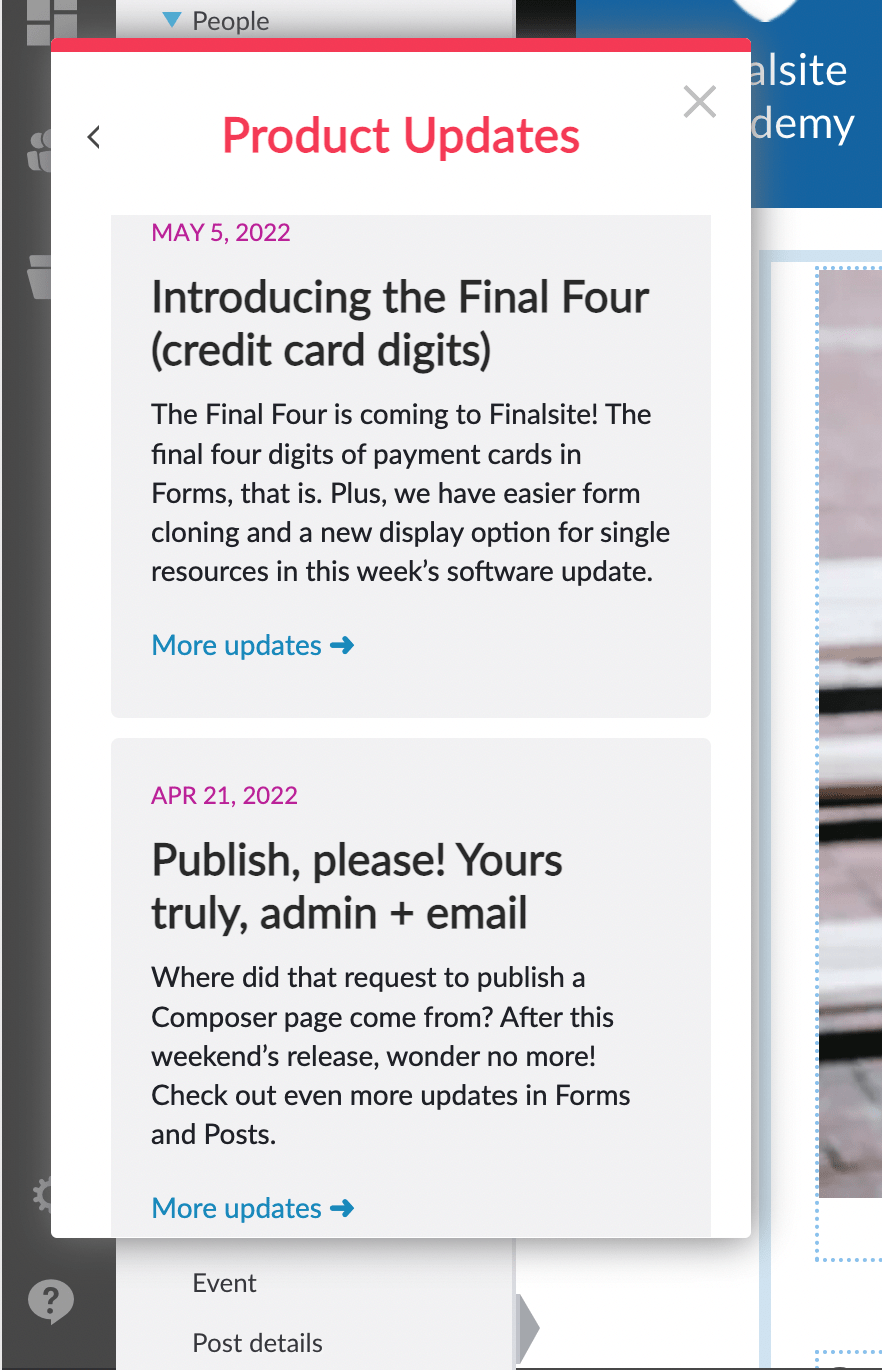
To keep users informed about new features, feature updates, bug fixes, and UI changes that happen on a regular schedule, I met with the product and QA teams in advance of each release to find out about the upcoming release. I decided which items to include and wrote the blog, sought approval, published on the Finalsite website, and publicized in the Finalsite software via Pendo.
The blog uses a light-hearted tone and briefly provides an explanation and context for each update. It is highlighted in multiple locations to decrease the barrier for keeping up with the ever-changing features.
Software Update: June 3, 2022
Whichever communication channel you’re using, some of your content is going to be more critical than the rest. In this release, we’re implementing changes to two ways you highlight your most important content to get all of your users to pay attention.
First, in Posts, you’ll be able to see which of your posts have a “Featured Until” date set from the main list view on the dashboard and board levels. With a brand-new light-green color, you can tell at a glance which posts are being promoted above others, and for how long. If you’re using that Featured Until date to make certain posts appear at the top of your Post element, or even in a different element entirely, it will be much easier now to see and manage these posts.
Even better, we’re adding the ability to send Important Announcements (formerly known as Administrative messages) to all of your Mobile App users who have push notifications enabled. Notifications are still opt-in, but users will receive these Important Announcements even if they haven’t signed up for any lists. If you’re using locations in the app, you can target these messages to specific locations and only users who are filtering on that location will receive it.
Keep reading for the rest of this week’s updates!
Messages
- Important Announcement will be available for mobile app notifications, enabling you to send a push notification to all app users with notifications enabled.
- If locations are enabled for the Mobile App, Important Announcement notifications may be targeted according to the user’s selected locations.
- Dynamic content can now be translated along with the rest of the content in messages. Note that the translated content is not available in the preview screen, only for sends and test sends.
Posts
- The featured date and time of a post, if applicable, will be displayed on the list in the Posts dashboard and board views.
 Lauren B. Lentini